
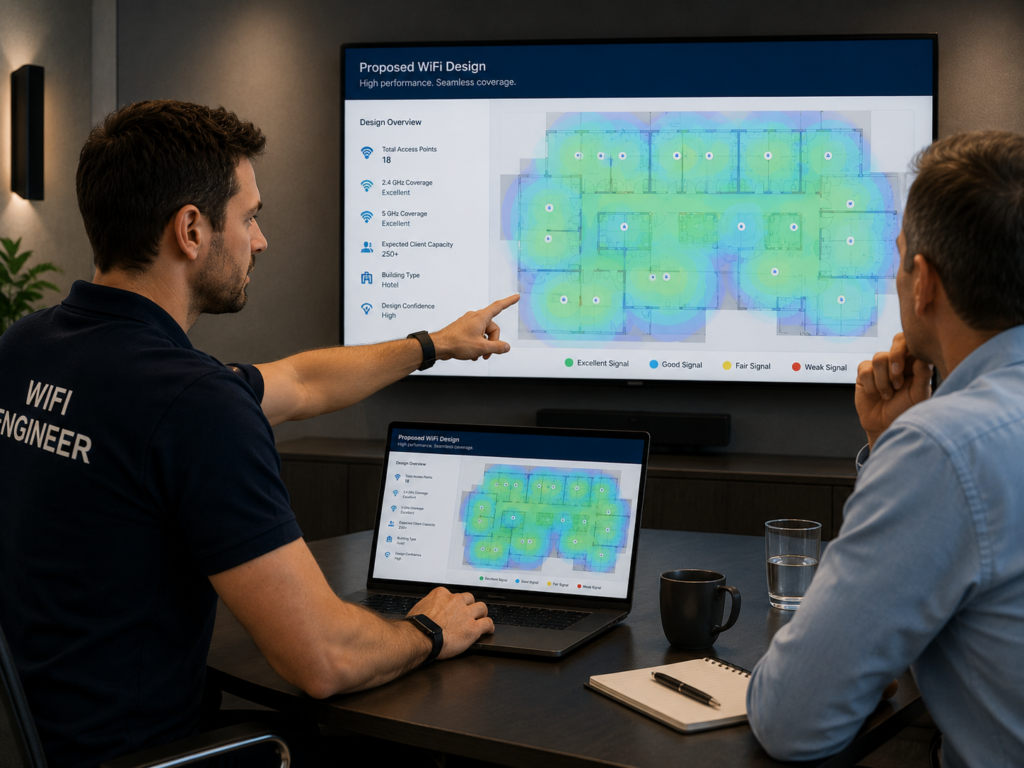
If you’ve asked three different Wi-Fi companies how many access points your hotel needs and received three different answers, don’t worry—that’s actually a good sign.
The reality is that there is no magic formula.
Anyone who tells you your hotel needs “one access point every four rooms” or “50 access points for a 100-room hotel” before they’ve seen the building is making assumptions rather than designing a network.
The correct number of access points depends on your building, your guests, your operational requirements and how the network will actually be used.
At Connected Hospitality, we believe the number of access points is one of the last decisions made during a Wi-Fi design—not the first.
This guide explains why.
The Short Answer
If you’re simply looking for a starting point, modern hospitality Wi-Fi designs often require approximately one access point for every two standard guest rooms.
However, this is only an initial planning estimate.
Some hotels require significantly more.
Some require fewer.
The final design should always be based on:
- Building construction
- Floor layouts
- Guest density
- Capacity requirements
- Operational systems
- Future expansion
- Professional predictive modelling
- On-site validation
If your supplier gives you a fixed number before understanding those factors, they’re guessing.
Why This Question Is More Complicated Than It Looks
Hotels are among the most demanding wireless environments.
Unlike offices, hotels combine:
- Hundreds of transient users
- Multiple devices per guest
- Streaming services
- Voice and video calls
- Conference facilities
- Staff operational systems
- Smart TVs
- IPTV
- Mobile check-in
- IoT devices
- Outdoor spaces
Every one of those factors influences Wi-Fi design.
Two hotels with exactly the same number of bedrooms may require completely different wireless networks.
Coverage and Capacity Are Not the Same Thing
One of the biggest misconceptions in hospitality networking is that strong signal automatically means good Wi-Fi.
It doesn’t.
Imagine a busy hotel restaurant.
Everyone has excellent signal.
Every phone shows full Wi-Fi bars.
Yet nothing loads.
Why?
Because the network has enough coverage, but not enough capacity.
A Wi-Fi design has to answer two different questions:
- Can devices reliably connect to the access point?
- Can the access point comfortably support every connected device?
Modern guests don’t just browse websites.
They’re streaming television, joining video meetings, uploading photos, using cloud applications, making Wi-Fi calls and casting content to hotel televisions.
A network designed only for signal strength will often struggle under real-world demand.
Why “One Access Point Every Four Rooms” Is Outdated
For many years, corridor deployments were considered standard practice.
The thinking was simple.
Install access points in the corridor.
Let the signal pass through the bedroom walls.
Job done.
Hospitality has changed.
Buildings have changed.
Guest expectations have changed.
Today, corridor-only deployments often struggle because radio signals now have to travel through:
- Fire doors
- Bathroom walls
- Mirrors
- Marble finishes
- Metal-backed plasterboard
- Thick masonry
- Modern insulation materials
Every obstacle weakens the signal.
If your goal is to provide the best possible Wi-Fi experience inside the bedroom, it’s reasonable to ask:
Why would you place the access point outside the room?
That doesn’t mean corridor deployments are always wrong.
Some hotels still benefit from them.
Others require in-room access points.
Many use a hybrid design.
The correct approach depends entirely on the building.
Every Building Is Different
This is why experienced Wi-Fi designers never rely on room counts alone.
Different construction materials affect wireless signals in different ways.
Concrete
Excellent structurally.
Terrible for Wi-Fi propagation.
Brick and Stone
Common in older hotels and listed buildings.
Often require more careful RF planning.
Marble
Beautiful.
One of the worst materials for wireless signal penetration.
Mirrors
Large mirrors can reflect radio signals and create unexpected coverage behaviour.
Fire Doors
Modern fire doors significantly reduce signal strength between corridors and bedrooms.
Glass
Often underestimated.
Depending on coatings and construction, glass can reflect or weaken Wi-Fi signals.
Lift Shafts
Large metal structures create RF shadows.
Lift lobbies often require dedicated design attention.
Stairwells
Frequently forgotten.
Yet guests and staff increasingly expect uninterrupted connectivity throughout the property.
Hotels Are Designed for People—Not Wi-Fi
One of the biggest differences between hospitality and office networking is guest behaviour.
Ten years ago, a guest might arrive with one phone and one laptop.
Today, it’s common to see:
- Smartphone
- Laptop
- Tablet
- Smartwatch
And that’s before considering families occupying the same room.
A modern 200-room hotel can easily support more than 1,000 simultaneously connected devices.
That’s before adding:
- IPTV
- Staff handheld devices
- POS terminals
- Smart locks
- IoT sensors
- Building management systems
Designing for today’s occupancy without considering tomorrow’s expectations is a costly mistake.
Conference Rooms Change Everything
Conference facilities require completely different design principles.
Planning purely around guest bedrooms often leads to disappointing performance during events.
Imagine:
- 150 delegates
- Three devices each
- 450 active devices in a single room
Coverage alone won’t solve that.
Capacity planning becomes critical.
Conference environments often require:
- Dedicated access points
- Higher-density channel planning
- Different antenna placement
- Careful power management
- Additional switching capacity
Without proper design, performance suffers long before signal strength becomes the problem.
Don’t Forget the Areas Guests Never See
One of the most common design mistakes is focusing entirely on guest bedrooms.
Hotels are operational businesses.
Staff increasingly rely on wireless connectivity throughout the building.
Frequently overlooked areas include:
- Kitchens
- Loading bays
- Plant rooms
- Staff corridors
- Housekeeping stores
- Service lifts
- Maintenance workshops
- Engineering offices
- Delivery entrances
Poor staff connectivity affects:
- Productivity
- Communication
- Reporting
- Maintenance
- Stock management
- Operational efficiency
A successful hotel network supports both guests and employees.
More Access Points Are Not Always Better
Another common misconception is:
“If Wi-Fi isn’t working properly, just install more access points.”
Unfortunately, Wi-Fi doesn’t work like that.
Installing unnecessary access points can actually reduce performance.
Poorly designed high-density deployments introduce:
- Co-channel interference
- Adjacent-channel interference
- Excessive RF noise
- Poor roaming behaviour
- Sticky client issues
- Reduced airtime efficiency
In many cases, adding more hardware makes the user experience worse.
Good Wi-Fi design is about optimisation—not simply increasing hardware.
How Connected Hospitality Designs Hotel Wi-Fi
Rather than guessing, we follow a structured design process.
Step 1 – Understand the Building
Every project begins with understanding:
- Building type
- Floorplans
- Construction materials
- Guest profile
- Operational requirements
Step 2 – Predictive Design
Using Ekahau professional survey software, we build a predictive wireless design based on the building layout and construction materials.
This allows us to model expected coverage before installation begins.
Step 3 – Capacity Planning
Coverage is only part of the equation.
We calculate expected device density across:
- Guest bedrooms
- Restaurants
- Bars
- Reception
- Conference facilities
- Outdoor spaces
- Staff areas
This ensures the network is designed for how people actually use the building.
Step 4 – Validation
Where possible, we validate the design using an AP on a Stick survey.
This allows us to test proposed access point locations before installation.
Where this isn’t practical, predictive designs are refined using on-site observations and construction details.
Step 5 – Optimisation
Following installation, we validate the finished network to confirm:
- Coverage
- Roaming
- Capacity
- Channel planning
- Signal quality
This ensures the deployed network matches the original design objectives.
Five Answers That Should Make You Think Twice
If you’re asking how many access points your hotel needs and receive any of these responses immediately, it’s worth asking a few more questions.
“One AP covers four rooms.”
Buildings aren’t identical.
Neither are guests.
“We’ll use the same design as your last hotel.”
Every property is different.
Successful designs are rarely copied.
“We don’t need a survey.”
Professional wireless design starts with understanding the environment.
Not assumptions.
“If it doesn’t work, we’ll just add more APs later.”
More hardware isn’t always better.
Correct design is almost always cheaper than correcting mistakes later.
“Signal strength is all that matters.”
Coverage is only one part of a successful Wi-Fi network.
Capacity, roaming, interference and client behaviour are equally important.
Example: A 180-Room Hotel
Imagine two identical 180-room hotels.
Hotel A
- Modern construction
- Standard bedrooms
- Small restaurant
- Limited meeting space
Hotel B
- Heritage building
- Thick stone walls
- Large conference centre
- Spa
- Outdoor terraces
- Multiple restaurants
- Extensive back-of-house operations
Would they require the same number of access points?
Almost certainly not.
The final design is determined by how the building behaves—not by the room count.
That’s why experienced Wi-Fi designers begin with investigation, not estimation.
James’s Engineering Take
One of the biggest misconceptions I encounter is that Wi-Fi design starts by deciding how many access points to buy.
In reality, that’s one of the final decisions.
The best-performing hospitality networks begin with understanding the building, guest behaviour, construction materials and capacity requirements.
Only then can you determine the correct number, type and placement of access points.
If someone gives you an answer before asking those questions, they’re not designing your network—they’re estimating it.
Frequently Asked Questions
Can one access point cover ten hotel rooms?
It may provide signal to ten rooms, but whether it delivers a good guest experience depends on construction materials, capacity requirements, occupancy and device density.
Are corridor access points still recommended?
Sometimes. Corridor deployments can still be appropriate in certain environments, but they are no longer the default answer for every hotel. Modern construction materials and guest expectations often require different approaches.
How many devices should I allow per hotel room?
As a minimum, we recommend planning for up to three devices per guest, remembering that many rooms accommodate more than one person.
Can too many access points reduce performance?
Yes. Excessive access point density can increase interference, reduce airtime efficiency and negatively affect roaming performance.
Is a predictive Wi-Fi survey enough?
Predictive surveys are an excellent starting point, but wherever possible they should be validated on site using real construction data and, ideally, an AP-on-a-Stick survey before installation.
Planning a Hotel Wi-Fi Upgrade?
Whether you’re refurbishing an independent hotel, developing a new-build property or upgrading an existing guest network, successful Wi-Fi starts long before the first access point is installed.
Connected Hospitality provides:
- Predictive Wi-Fi design
- Ekahau wireless surveys
- AP-on-a-Stick validation
- Capacity planning
- Heatmapping
- Network consultancy
- Independent Wi-Fi audits
Book a Free Wi-Fi Design Review and we’ll help you understand what your building really needs—not what a generic rule of thumb suggests.