
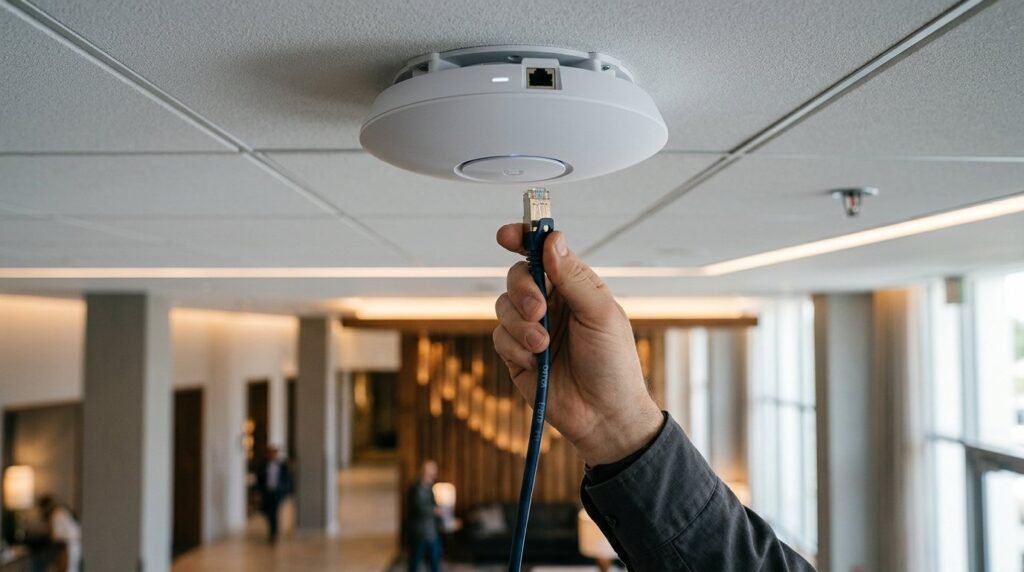
Power over Ethernet, usually shortened to PoE, allows a network cable to carry electrical power and data to the same device. In a hospitality environment, that one principle can support wireless access points, IP cameras, VoIP handsets, door controllers, intercoms, sensors and other connected systems without a separate mains socket beside every endpoint.
The attraction is clear: fewer local power supplies, cleaner installations and central control from the communications room. However, PoE is not simply a matter of buying a switch labelled “PoE” and connecting every device. The switch standard, available power budget, cabling, distance, heat, UPS capacity and resilience design all affect what the system can reliably support.
This guide explains how PoE works, what the different standards mean and what hotels, pubs, restaurants and venues should check before relying on it for operationally important technology.
How does Power over Ethernet work?
A standard PoE system has two main parts. Power sourcing equipment, or PSE, supplies power; this is normally a PoE-enabled network switch. The powered device, or PD, receives it. Before applying normal operating power, standards-compliant equipment detects whether the connected device supports PoE and determines the appropriate power class.
Power and Ethernet data then travel together over the copper pairs in the same structured cable. The device separates and uses them at the far end. This is why a ceiling-mounted access point or camera can often operate with one permanent data cable and no local plug-top power supply.
A PoE injector can add power between a non-PoE switch and an individual device. Injectors have a valid role in small retrofits and specialist situations, but a managed PoE switch is usually easier to monitor and support across a hospitality estate. An injector is another powered component to locate, label and maintain.
PoE, PoE+ and PoE++ explained
The IEEE standards define how compatible equipment negotiates and delivers power. Marketing names such as PoE+ and PoE++ are useful shorthand, but the IEEE type and device power requirement are more reliable design references.
- Type 1 — IEEE 802.3af: the power source can provide up to 15.4 watts, with up to approximately 13 watts available to the device after cable losses. This can suit many desk phones, simple sensors and lower-power cameras.
- Type 2 — IEEE 802.3at, commonly called PoE+: up to 30 watts can leave the power source and up to 25.5 watts can reach the device. Typical uses include more capable cameras, access points and touch-screen devices.
- Type 3 — IEEE 802.3bt: uses up to four cable pairs and can provide up to 60 watts at the source, with up to 51 watts available to the device. It supports higher-performance wireless equipment, multi-sensor cameras and a growing range of smart-building devices.
- Type 4 — IEEE 802.3bt: provides up to 90 watts at the source and up to 71.3 watts to the device. This extends PoE to demanding equipment such as certain displays, kiosks, building systems and high-power network devices.
The distinction between power at the switch and power available to the endpoint matters. Cable resistance causes losses, so a device requiring 51 watts cannot be designed around a 51-watt switch output. The Ethernet Alliance overview of IEEE 802.3bt documents the source and device power classes behind these figures.
Newer standards are designed to coexist with earlier standards, but compatibility does not create extra capacity. A high-power device connected to a lower-power switch may refuse to start, operate with features disabled or become unstable. Confirm the requirement from the exact device data sheet rather than assuming that every access point or camera in a product family consumes the same power.
Where PoE adds value in hospitality
Hospitality properties contain large numbers of distributed devices, often above ceilings, on external walls or in guest-facing spaces where an additional socket would be disruptive or visually intrusive. PoE is especially useful for:
- Wi-Fi access points in bedrooms, corridors, public areas, event spaces and outdoor zones.
- IP CCTV cameras, including models with infrared illumination, heaters, analytics or pan-tilt-zoom functions.
- VoIP phones and intercoms at reception, in offices, guest rooms and service areas.
- Access control and smart-building devices, including door controllers, occupancy sensors and environmental monitoring.
- Selected displays, kiosks and edge devices where the equipment and cabling have been designed for the required PoE type.
Centralised switching also makes monitoring and remote power cycling possible. An engineer may be able to restart an unresponsive endpoint without visiting the room or ceiling location. That can reduce disruption and avoid some callouts, but remote power cycling is a recovery tool, not a substitute for investigating recurring faults.
Five checks that determine whether a PoE design will work
- Check the requirement of every powered device. Record the IEEE type or class, normal consumption and maximum demand for each exact model. Include accessories and operating modes: a camera heater, infrared LEDs or an access point running all radios can increase demand.
- Calculate the complete switch power budget. A switch may have 24 or 48 PoE-capable ports without being able to deliver the headline maximum on all of them simultaneously. Compare the combined device requirement with the available PoE budget, power-supply configuration and any redundancy mode. Leave justified headroom for start-up demand, replacement models and agreed growth.
- Verify port capability as well as port count. Spare ports are not interchangeable if only some support Type 3 or Type 4, multi-gigabit Ethernet or the required configuration. Map high-demand devices to suitable ports and document the allocation.
- Design the copper channel properly. Cable category, conductor material, length, connector quality, installation environment and bundle size all matter. Avoid copper-clad aluminium cabling. Test and certify the permanent installation rather than treating link lights as proof of performance.
- Plan the whole power path. Confirm mains supplies, switch power supplies, UPS loading and runtime, cooling and monitoring. A redundant switch supply is of limited value if both feeds come from the same unprotected socket.
These checks should sit within wider network cabinet capacity planning. Adding more PoE endpoints consumes switch ports, power, UPS capacity, rack capacity and cooling at the same time.
Cabling, distance and heat cannot be ignored
Higher PoE power means higher current in the copper conductors. Resistance creates heat, particularly across long channels, large cable bundles and enclosed containment. Excessive temperature can increase insertion loss and reduce the margin available to both power and data transmission.
CommScope’s current Power over Ethernet design guidance explains that bundle size, spacing, ambient temperature, conductor size and channel length all affect thermal performance. It cites 24-cable bundles as a general standards-based recommendation for demanding worst-case conditions, while also making clear that a qualified designer can assess other bundle sizes against the actual cable, environment and load.
That is more accurate than a blanket rule that every PoE installation must use one category of cable or that every bundle above a fixed number is unsafe. Category 6A is often an excellent choice for new high-power and multi-gigabit installations, but suitability should be established from the application and cabling design. Our guide to copper and fibre cabling explains where each medium belongs in the wider network.
PoE resilience: what a UPS really protects
One of PoE’s strongest operational advantages is that many distributed devices can be protected from a central communications room. If the PoE switch is connected to a correctly sized UPS, access points, cameras and phones can continue receiving power during a short mains interruption.
That does not automatically keep the service working. The UPS must have enough load capacity and runtime, and the upstream switch, firewall, controller, internet circuit and any fibre equipment needed by the application must remain powered too. A camera that stays on while its recorder loses power has not delivered complete resilience.
Define which services must survive, for how long and under which failure scenarios. Then test the whole chain under load. For guest Wi-Fi, that could include access points, switching, firewall, captive portal dependencies and internet handoff—not just the access switch.
Common PoE mistakes
- Counting ports but not watts: the switch has enough sockets, but its shared PoE budget is exhausted.
- Using marketing labels alone: “PoE++” is accepted without confirming the supported IEEE type, class and power available to the device.
- Ignoring reduced-power modes: a device connects but quietly disables radios, USB functions, heaters or other features.
- Using poor or uncertified cabling: the network appears operational initially but lacks electrical, thermal or transmission margin.
- Assuming the UPS covers everything: endpoints remain powered while an upstream dependency fails.
- Leaving no capacity record: future projects consume the remaining PoE budget without anyone seeing the combined risk.
A managed switch should provide visibility into allocated and consumed power by port. Review these figures during commissioning and ongoing capacity checks. They help identify unexpected demand and plan growth, although measured consumption should not replace a design based on supported maximum requirements and credible failure conditions.
Frequently asked questions
Can PoE damage a device that does not support it?
Standards-compliant PoE equipment detects a compatible powered device before normal power is applied. Problems are more likely with non-standard passive power products, unsuitable adapters or incorrect wiring. Use standards-based, compatible equipment and avoid treating “PoE” as a universal label.
Does a PoE switch deliver maximum power to every port?
Not necessarily. Each port may support a stated maximum while all ports share a lower total switch budget. Available power can also change with the installed power supplies and redundancy configuration. Check both the per-port capability and complete switch budget.
Can PoE run over fibre?
Standard fibre does not conduct electrical power. Fibre can carry data to a remote cabinet or media device, where local power and a PoE switch or injector then supply the copper connection to the endpoint. This is often useful when distance, electrical isolation or building topology makes an all-copper run unsuitable.
Is PoE suitable for Wi-Fi 7 access points?
Yes, but requirements vary by model and enabled features. Some Wi-Fi 7 access points need higher-power PoE and multi-gigabit switch ports to operate without restrictions. Review the exact access point, switch and cabling together. Our Wi-Fi 6 versus Wi-Fi 7 hospitality guide covers the wider upgrade decision.
Design PoE as part of the whole hospitality network
Connected Hospitality designs switching, structured cabling, wireless, CCTV, telephony and smart-building connectivity as one joined-up infrastructure. That means checking the endpoints, PoE budget, cabling, cabinet, UPS, cooling and resilience before equipment is installed.
If you are planning a new venue, refurbishment or technology upgrade, explore our network and connectivity services or speak to Connected Hospitality about a network designed for the complete operational requirement.